Posted
Tue, April 15, 2025
[v0.1.5] Hotfix Details
A hotfix has been applied to improve stability and address known issues in inZOI.
Hello, Creators.
We would like to inform you that the following hotfix has been applied to inZOI. Please refer to the details below for more information.
◆ Hotfix Details
Gameplay Update
※ Default camera - improved usability for camera movement and rotation
※ Free camera - added free camera for Build Mode where players who are used to WASD control can use conveniently
※ [Official Comment from the inZOI Team] Shadow casting effects have been applied to both outdoor streetlights and indoor lights, delivering a more natural and realistic graphical experience.
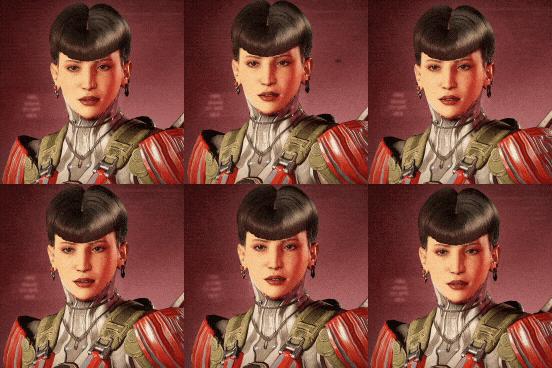
We hope this update addresses long-standing feedback regarding the visual inconsistency between characters viewed in the Character Studio and those seen during gameplay.
Due to optimization limitations, this feature was not implemented during the initial development phase. However, in response to continued player feedback, we have introduced shadow casting as part of our ongoing improvements.
Further enhancements are expected with an upcoming engine update scheduled for this summer. Please note that enabling shadow casting may impact performance depending on your hardware.
We recommend referring to the detailed settings guide below to adjust the feature according to your system environment. We remain committed to carefully listening to your feedback and continuously pursuing meaningful improvements.
1) Enable streetlight shadows
- Effect: When night falls, shadows appear beneath streetlights, making characters and surrounding environments appear more natural and realistic. All streetlight lamps placed throughout the city have shadow casting enabled by default, allowing for a more immersive nighttime experience

How to apply: This feature is enabled by default
ㄴYou can toggle it on or off by navigating to Options > Graphics > Custom > Streetlight Shadows

ㄴPerformance impact: During nighttime, when streetlights are illuminated and shadows are rendered, a slight decrease in performance may occur
2) Enabling furniture lighting shadow
- Effect: Shadow casting options have been added to certain indoor lighting, including ceiling lights and floor lamps. When these lights are turned on, realistic shadows are cast beneath characters and furniture according to the light direction.
This enhancement significantly improves environmental atmosphere and immersion, allowing in-game visuals to better match the high-quality appearance seen in the Character Studio.


ㄴ Performance impact: Enabling this option may affect gameplay performance. Please adjust the setting according to your PC specifications
Bug Fixes
Gameplay
※ [Official Comment from the inZOI Team] An issue was identified where game progress was not properly saved under certain conditions, preventing players from resuming gameplay.
This occurred due to the ESC key failing to exit Map Mode as intended, and the transition to the lobby proceeding before the save process had fully completed—occasionally resulting in corrupted save files.
To address this, we have updated the ESC key functionality to correctly exit Map Mode and revised the transition logic to ensure it occurs only after the save has been successfully completed.
Ambition/Goal
※ [Official Comment from the inZOI Team] As progress for this ambition is determined solely by the lot value—excluding the cost of furniture and buildings when relocating—the in-game text has been revised to clearly communicate this condition.
Career and Interaction
※ [Official Comment from the inZOI Team] Addressed an issue in both Dowon and Bliss Bay where experience points were not properly accumulating after the second rank
※ [Official Comment from the inZOI Team] Previously, feeding interactions with cats and pandas in the City Appearance feature were only available when a certain Karma condition was met.
This requirement has now been removed, allowing players to interact and feed animals at any time. This interaction was originally intended to serve as a “positive action” to help improve neutral Karma.
However, we have revised this design, as it did not align well with the actual gameplay patterns of inZOI players.
UI/UX
※ [Official Comment from the inZOI Team] The key bindings for vertical movement were changed from Q: Up / E: Down to E: Up / Q: Down to match the on-screen UI display.
Canvas
Crash Fixes
※ [Official Comment from the inZOI Team] This popup notifies players of potential unexpected crashes when using Intel 13th or 14th Gen processors.
Please refer to the FAQ for more information.
We’ll continue working to make inZOI more stable and enjoyable for everyone.
Thank you, as always, for your continued support and valuable feedback.
The inZOI Team


