Alex Massé
20 Jun 2025
Hello everyone! Chloe here for today’s Patreon post! Today, I’ll show you a bit of the behind-the-scenes of the creation of the town as a whole, and we’ll take a closer look at the Antiques Shop, which you may have spotted in our latest trailer. I recommend watching it if you haven’t already!
A Look Behind the Scenes of the Town
The final shot of our trailer showcases a part of the town. It’s not showing as much of the town as you might think — only a portion of it! When you zoom out and see the whole picture, it’s actually quite big.

Now, wouldn’t you like to see how much of the map you’ve actually seen so far?
 Well, here’s a little sneak peek!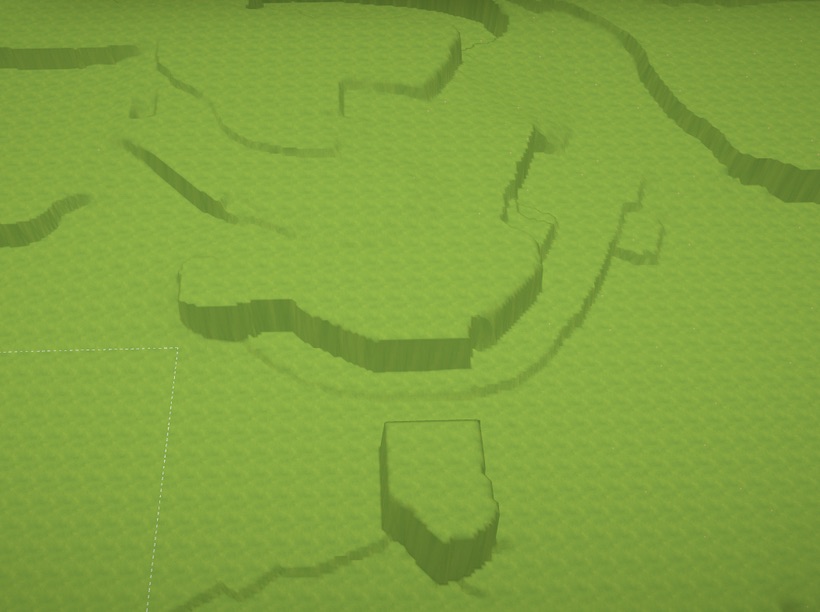
The areas shown in the trailer compared to the full size of the map. In red: areas that haven’t changed much, or at all, since the trailer. In blue: areas that have been heavily modified (because we made them a lot more interesting!!). The changes and new areas are secret for now
How do we go about creating such a big map? Glad you asked!
How We Create the Town
You may have noticed there’s a lot of variation in elevation across the town. There’s the elevated tunnel, houses built downhill toward the water, and more. All of this can be done with our terrain tools, which are the same tools you’ll have access to as a player. However, this isn’t how I personally create the town — I need much more control and precision.
Let me spill my secrets.
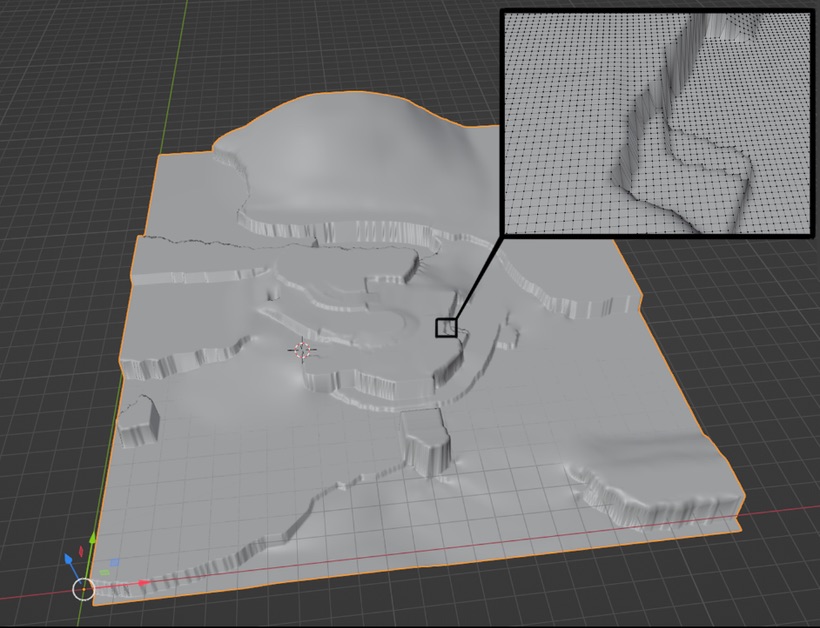
Richard developed a tool for me that works hand in hand with our terrain system. To gain full control over the town’s topography, I recreated the entire map in Blender (my 3D software), sculpting it by manipulating 172,864 individual points. Being able to select and adjust each point gives me extreme precision, allowing me to shape mountains and hills exactly as needed. Richard’s tool then lets me import this 3D model into the game, where his code reshapes the terrain to perfectly match it.
This is the town map as it exists in Blender. In the top-right corner, you can see a close-up showing the density of the points I work with. I can move each point up or down as needed, which also makes iteration much easier.
This is what it looks like when I use Richard’s tool to transfer the data from my 3D model into the game’s terrain. It looks a bit rough at first, but with time, care, and effort, it gradually becomes a beautiful landscape.
Isn’t it strange to see the map looking so bare after watching the trailer? But that’s how it all starts. While shaping the topography, I also create lots and place placeholder buildings to get a sense of how each area will feel. Until we’re 100% satisfied, everything stays rough and messy. Once it feels right, we move on to finalizing the buildings. It’s a highly iterative process with a lot of back-and-forth.
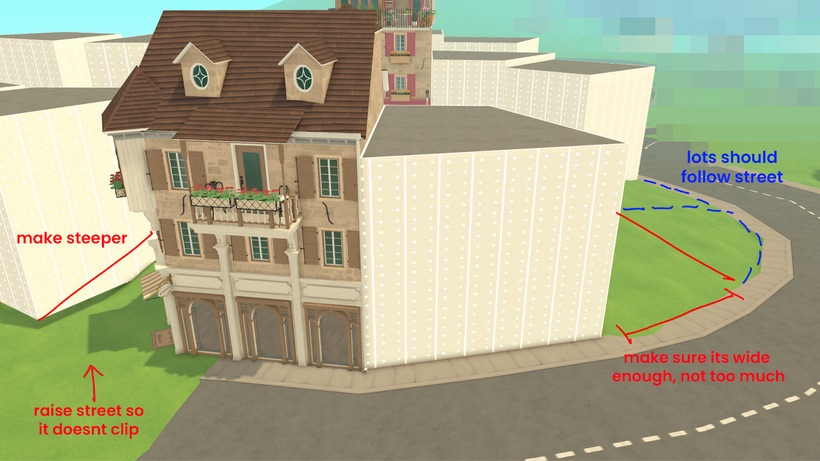
An example of what our iteration notes can look like. Alex and I meet every few days to review progress, drawing over screenshots to clarify what we want changed for the next round. This helps us share ideas and test concepts before committing to them.